As I’ve mentioned before, I’m also a “mostly retired” licensed electrician—which, as many of you know, means I occasionally get to relax, right up until someone in my family or friend circle finds out there’s a breaker panel in their basement. Suddenly, I’m discovering relatives and “friends” I never knew I had—just kidding (sort of). If you’ve ever worked in the trades, you know how it goes.
If you’re searching for a proven LED dimmer strobing fix, you’re not alone. And while most of my posts focus on helping you pass your inspection by following ICC and NEC code, this is one of those real-world field problems that actually comes back to the code book too. Even though it feels like a “manufacturer problem,” it’s directly tied to NEC 110.3(B): you’re required to install and use listed equipment—like dimmers and LED bulbs—according to the manufacturer’s instructions.
In my time on the job—and especially as LEDs became more popular—I’d see LED strobing pop up from time to time. Usually it happened right after a homeowner or contractor swapped a dimmer and suddenly the kitchen lights started behaving like a strobe light at a bad wedding DJ gig. But this past weekend, it was my turn. I changed out a couple of “dimmable” LEDs, and boom—flickering madness.
And here’s the honest reason I’m writing this post: I know for a fact that a lot of you—whether you’re a pro electrician, a contractor, or a serious DIYer—will eventually run into this. It’s frustrating, it’s confusing, and it almost never comes down to a wiring mistake.
What Really Causes LED Strobing When You Swap a Dimmer?
Let’s cut through the confusion:
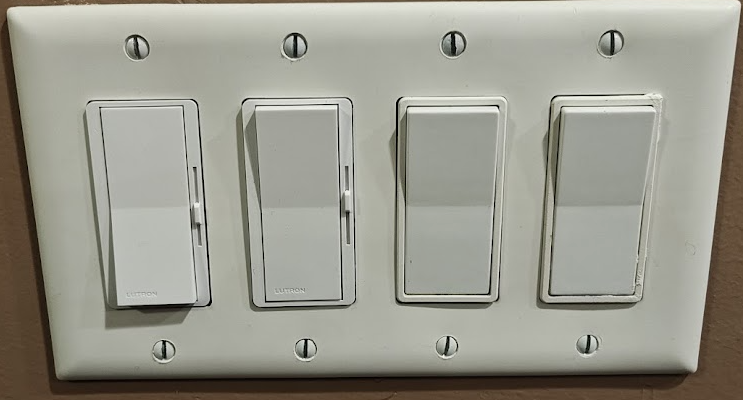
Most modern wall dimmers—like the Lutron Diva DVCL-153P I have installed—are “two-wire” designs, meaning they don’t have a dedicated neutral wire to power themselves. Instead, they borrow just enough current by letting a tiny bit trickle through the bulbs, even when the lights are off or dimmed way down. This isn’t a lot—just enough to keep the dimmer’s electronics alive—but it can drive certain LED drivers in the lamps nuts. The result?
- Random strobing
- Quick flashes
- Or just unpredictable, glitchy dimming
Why?
Many LED drivers simply aren’t built to handle even a small trickle of electricity when they’re supposed to be “off” or at their lowest setting. That can trigger a reset or confusion in the driver, causing the bulb to pulse, strobe, or flutter.
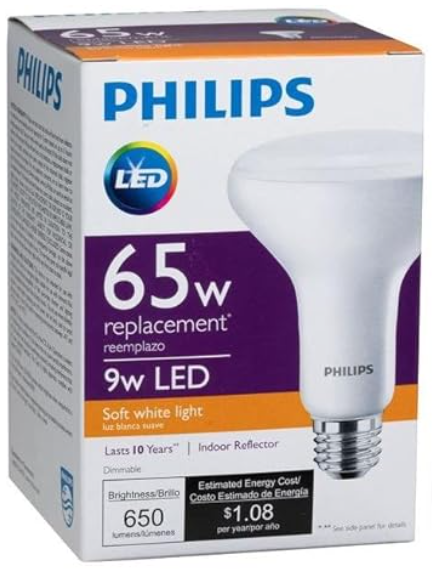
In my case, the solution wasn’t swapping in a new dimmer—it was finding an LED bulb that was officially listed as compatible for my exact dimmer. I picked up a recommended Philips LED from Lutron’s tool, popped it in, and the strobing vanished.
Watch: The Real Fix for LED Dimmer Strobing (Full Video Guide)
Below, you’ll find my step-by-step video breakdown, showing exactly why this happens, the best field-tested solutions, and how to make sure your fix is code compliant. Hit play to see the troubleshooting process in real time.
Why a Neutral-Wire Dimmer Can Solve Most Flicker Issues
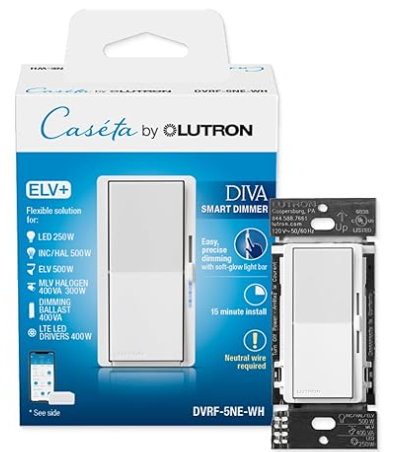
Here’s what every field-experienced electrician figures out after enough callbacks: Using a dimmer that connects to a neutral wire usually solves the vast majority of LED flicker problems. Here’s why this makes such a difference:
A neutral-wire dimmer doesn’t have to sneak any current through your bulbs to keep its own electronics running. Instead, it gets its power directly from the hot and neutral wires—just like any device you plug into an outlet. That means the dimmer’s internal circuits always have a reliable power source, totally separate from the lighting load. Your LEDs only see current when they’re actually supposed to be on, so their drivers don’t get confused or reset at low dimming levels.
This clean separation is why neutral-wire dimmers are so much more compatible with modern LEDs and why they almost always fix flicker and strobing issues—especially when mixing different bulb brands or models.
Bottom line: Neutral-wire dimmers are almost always a safe bet if you want to avoid flicker—especially if you’re mixing brands or using LEDs that haven’t all been tested together.
Field Checklist: How to Fix LED Strobing (Without Chasing Ghosts)
- Check Your Dimmer Model:
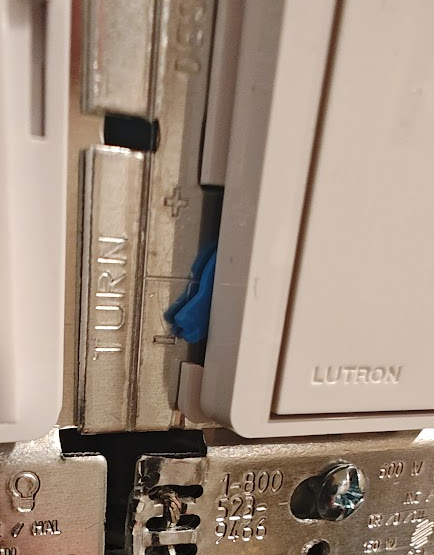
If you’ve got a two-wire dimmer (no neutral), recognize that some LEDs simply won’t play nice with it. Not your fault—it’s a design limitation. - Adjust the Dimmer’s Low-End Trim:
Some dimmers, like the Lutron Diva LED+, have a trim dial to set the lowest dimming point. Turn it up until the flicker stops at the bottom of the range. Sometimes this alone does the trick. - Use Lutron’s Compatibility Tool:
The surest way to pick a bulb that actually works:
- Head to the Lutron LED Compatibility Tool
- Select your dimmer model
- Find your bulb type
- Buy a bulb that’s officially recommended for that dimmer
- Install and retest—if it works, swap the rest
- For the most reliable LED dimmer strobing fix, always double-check bulb compatibility. This simple step solves most flicker problems.
Still Have Flicker? Try a Neutral-Wire Dimmer:
If you want to go “callback-proof,” upgrade to a neutral-wire model (like the Diva 5NE or Caseta PD-5NE) and wire the neutral. These are specifically built to solve exactly this kind of problem.
Also, if you’re digging into wiring issues, don’t forget panel clearance matters. You can check out my full breakdown on the clearance zones here: Electrical Panel Clearance Code: NEC 110.26 Explained for Homes and Garages
Quick Note on Shared Neutrals (Multi-Wire Branch Circuits)
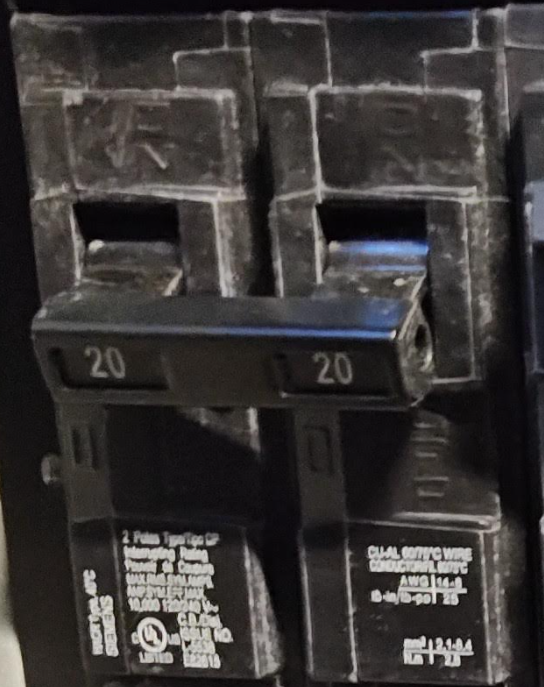
If you’re troubleshooting a house with shared neutrals—a common scenario on older or “split” circuits—here’s what you need to know:
- NEC 210.4(B) (2023) requires a handle tie or two-pole breaker on any multi-wire branch circuit with a shared neutral. This isn’t just for convenience—it ensures both circuits are disconnected together for safety.
- The real world risk for flicker, strobing, or unpredictable dimmer and LED behavior comes from two main problems:
- Same-phase wiring: The two (or more) hot legs sharing the neutral must be on different phases (A and B). If both breakers are accidentally on the same phase, the neutral ends up carrying the full sum of both loads, not the difference, which can cause voltage fluctuations, noise, and unpredictable operation.
- Loose or poor neutral splices: A bad splice (or one not grouped/identified per NEC 210.4(D)) can cause ghost voltage, flicker, or odd current paths—issues that dimmers and LEDs are especially sensitive to.
Field tip:
Always confirm the breakers on a shared neutral are on opposite phases and check every neutral splice for tightness and code compliance. Shared neutrals are more sensitive to wiring “noise,” especially with modern LEDs and dimmers.
My Real-World Take: The Simple Solution That Worked
This wasn’t some code-defect mystery. I didn’t rewire my house. I simply used the Lutron Compatibility Tool, bought a Philips bulb it recommended for my dimmer, and the strobing disappeared instantly. No magic, no mystery—just following what’s been field-proven to work.
Takeaways: What Should You Do?
– Seeing strobing after a dimmer swap?
Try adjusting the dimmer’s low-end trim.
– Still flickers?
Swap in a bulb that’s on the Lutron recommended list for your dimmer.
– Want to future-proof?
If you’re wiring new, use neutral-wire dimmers whenever possible.
– Troubleshooting shared neutral circuits?
Confirm your breakers are on opposite phases and every neutral splice is solid.
How to Find Compatible Bulbs—The Lutron Compatibility Tool
For any dimmer and any LED, the best move is to double-check before you buy.
- Go to: Lutron LED Compatibility Tool
- Pick your dimmer model and bulb style
- Only buy bulbs marked “recommended”—that list is field-tested, not just marketing
Want to Tackle This Yourself? Here Are the Exact Products I Used
If you want to try the same fix I used, I’ve included Amazon links below for:
- My current two-wire dimmer (with a compatible bulb):
- Lutron Diva LED+ Dimmer Switch (DVSCCL-153P-SW, Snow)
- Philips LED Dimmable BR30 Light Bulb (Soft White, 8-Pack)
- Neutral-required Lutron smart dimmer (for the “callback-proof” approach):
- Lutron Diva Smart Dimmer Switch ELV+ (DVRF-5NE-WH, White)
As an Amazon Associate, I may earn a small commission if you use these links—at no additional cost to you. Your support helps keep this site running and lets me keep sharing code inspection tips and field-tested fixes. Thanks!